Working from home doesn’t automatically make planning easier. You still have meetings, deadlines, and a full personal life happening in the same space. Without a good system, it’s easy to lose track of what’s coming and what you’ve already committed to. Weekly planning is just one piece of staying organized when you work from home.
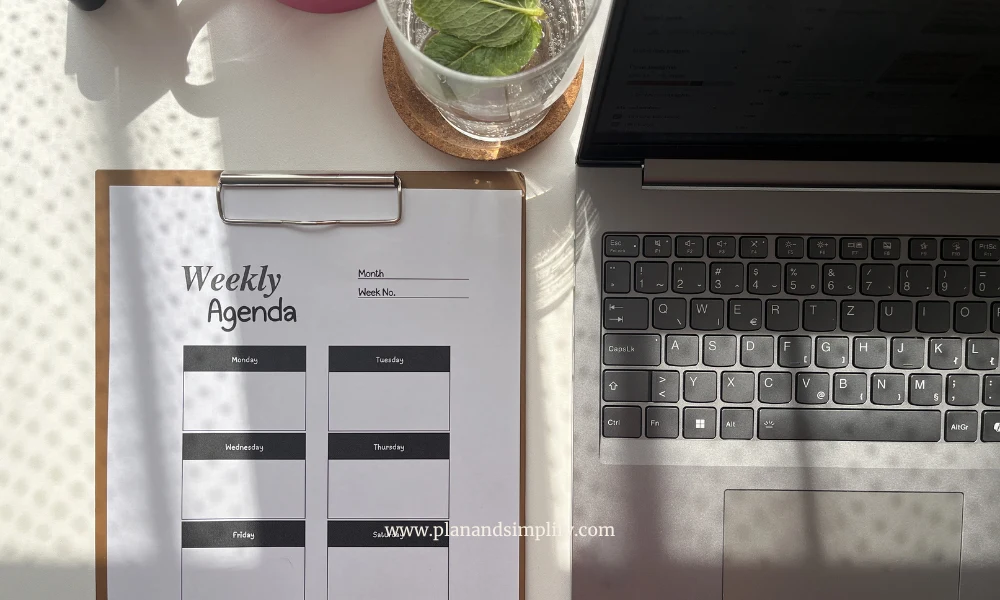
Weekly tracker templates help you see your whole week in one place, including your work schedule, meetings, and personal obligations. Nothing slips through, and nothing overlaps.
Why is weekly planning useful when you work from home?
Most remote workers still follow a regular work schedule with fixed hours, team meetings, and deadlines set by others. The difference is that everything else in your life is also happening in the same place, at the same time.
Work and personal commitments share the same calendar
When you work from home, a doctor’s appointment at 11am, a team call at 1pm, and a school pickup at 4pm all live in the same week. A week tracker gives you a clear view of everything together so you can plan without conflicts.
It’s easier to spot overloaded days before they happen
Looking at your week in advance shows you where things are stacking up. A heavy meeting day is not the best day to schedule a dentist appointment or plan to finish a big report. Weekly tracking helps you see that before the day arrives.
How to choose the right weekly tracker template for your style
There are different layouts, and the best one is simply the one that fits how you think. Here’s a quick breakdown:
| Template | Best for |
|---|---|
| Weekly Agenda Tracker | Day-by-day structured planning. Great if you like clear sections and a traditional layout. |
| Weekly Task List Printable | Checkbox-style planning. Works well if you’re driven by checking things off. |
| Undated Weekly Planner | Flexible planning without fixed dates. Good if your schedule changes week to week. |
| Horizontal Weekly Agenda | More writing space per day. Ideal if you have a lot going on and need room for notes. |
Try one for a week or two before switching. It takes a little time to know what fits your rhythm.
How to set up your weekly planning routine
The weekly tracker template alone won’t do the work. You need a short routine around it, and it really doesn’t have to take long.
Your Sunday planning session
15 to 20 minutes on Sunday is enough to set up your whole week.
- Check what meetings and deadlines are already locked in
- Set 2 to 3 main goals for the week. If you want to break them down into smaller steps, setting weekly goals when you work from home can help
- Look for days that are already heavy with meetings and plan around them
- Note anything you need to prepare in advance
Mid-week check-in
Five minutes on Wednesday. By mid-week, things always shift a little. A meeting gets added, and something takes longer than expected. A quick look at your weekly tracker helps you adjust before things pile up.
- Are you on track with your weekly goals?
- What needs to move or be rescheduled?
- Did anything new come up that needs a spot?
Friday wrap-up
About ten minutes to close the week. Look at what you finished, what you didn’t, and where your planning could be more realistic next time. Tracking week by week is how you actually get better at this over time.
How to distribute tasks across your week
When you work from home, your week has two layers. Your work schedule and everything else. A good weekly tracker helps you manage both without one constantly derailing the other.
Map your work commitments first
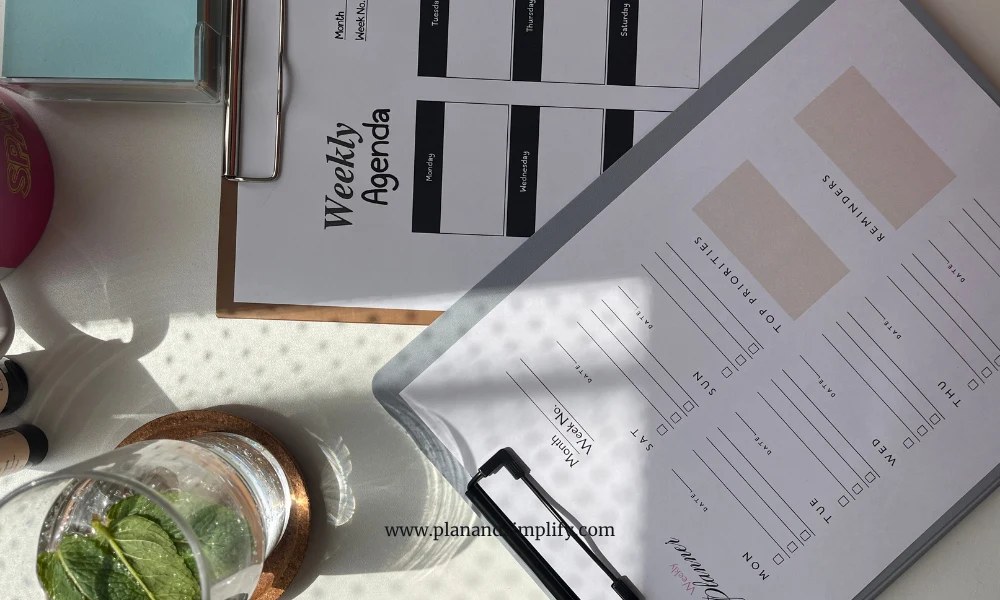
Start with what’s fixed. Meetings, deadlines, calls. These are non-negotiable and everything else gets planned around them. Weekly tracker templates give you a clear layout so you can spot which days have room and which are already full.
Fit personal tasks into the gaps that make sense
If you have flexibility during the day, a longer lunch break, or the option to take time off and make it up later, a weekly tracker printable helps you plan that without losing track. You can see at a glance when you can schedule a personal errand or appointment without it conflicting with work.
Once your week is mapped out, the next step is structuring your daily plan within it. Planning your day as a remote worker makes that part easier.
Mistakes that make weekly planning harder than it needs to be
- Overloading the week. Planning more than you can realistically fit in is discouraging. A realistic plan beats an ambitious one every time.
- Only checking your tracker on planning day. Your week tracker is most useful when you look at it regularly, not just on Sunday.
- Not accounting for heavy meeting days. Placing big tasks on days packed with calls is a setup for frustration. Map your meetings first, then fill in the rest.
- Treating the plan as fixed. Plans change. Adjusting mid-week is good planning.
- Forgetting personal commitments. When you work from home, your personal week and work week are the same week. Keep both in one place so nothing gets forgotten or double-booked.
FAQ
I’ve also gathered some common questions about weekly trackers to help you get started:
Yes. When work, personal life, and errands all happen in the same space and on the same days, having a single view of your whole week makes it much easier to plan without conflicts.
Whichever one you’ll use consistently. I use a printed weekly tracker printable because it stays visible on my desk. If digital works better for your setup, that’s the right choice.
That’s normal. Your weekly tracker template is a guide, not a contract. Use it to adjust, not to measure how perfectly you followed it.
Yes, and it helps. Keeping both in one place gives you an honest view of your time and prevents appointments from overlapping.

3 Comments
Hi there, I log on to your blog daily. Your writing
style is awesome, keep it up!
Thank you!
Appreciate the recommendation. Let me try it out.